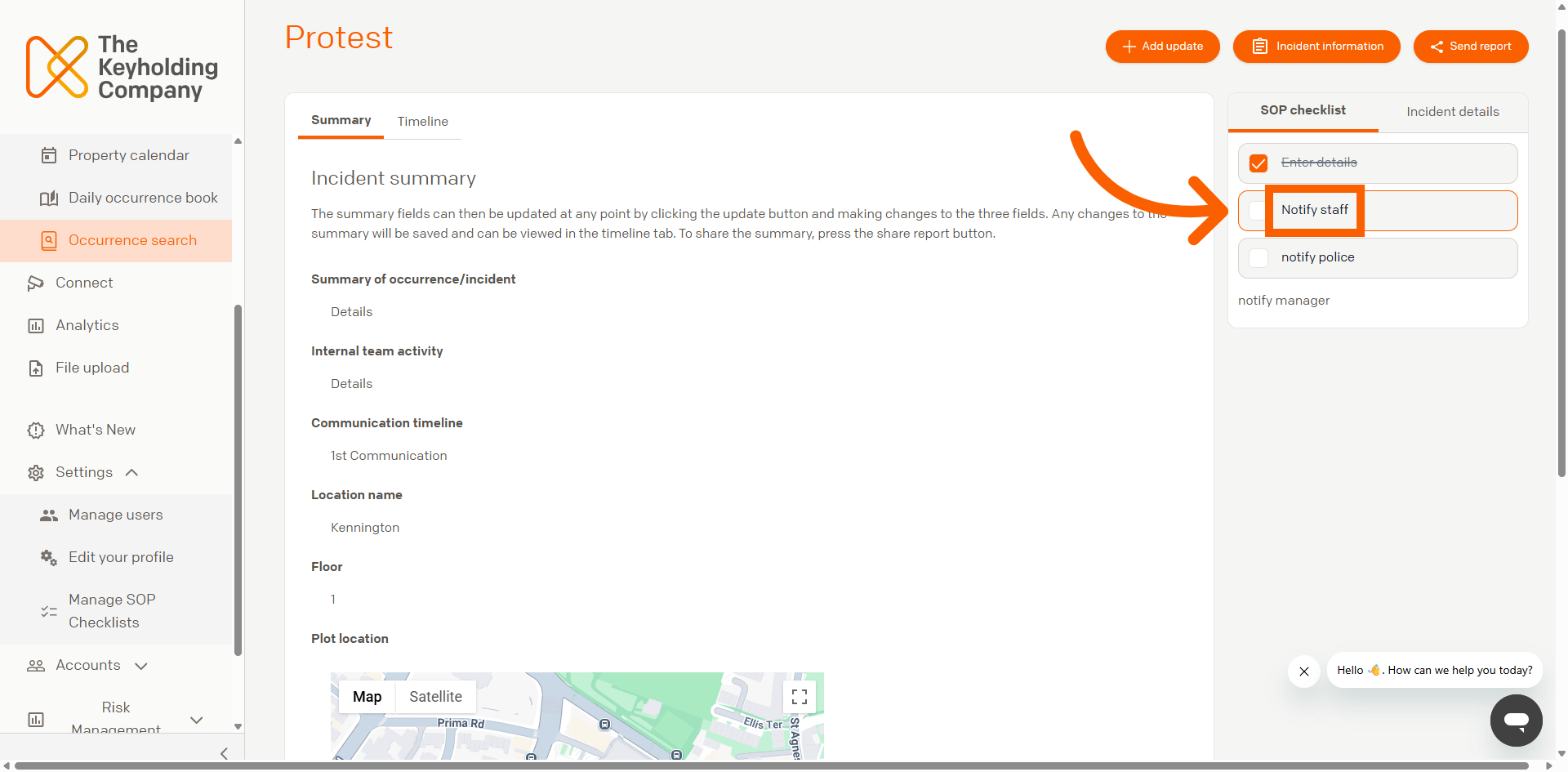
This section explains how to view and complete the Standard Operating Procedure (SOP) for an incident within Command. Each incident type can be configured with an SOP checklist that defines the actions required during a response.
Providing quick access to the relevant SOP helps responding staff understand exactly which actions are required, even in high-pressure situations. This supports effective incident response while enabling managers and stakeholders to monitor progress and view completed actions in real time.
01
Navigate to the SOP Checklist and Review the Required Tasks
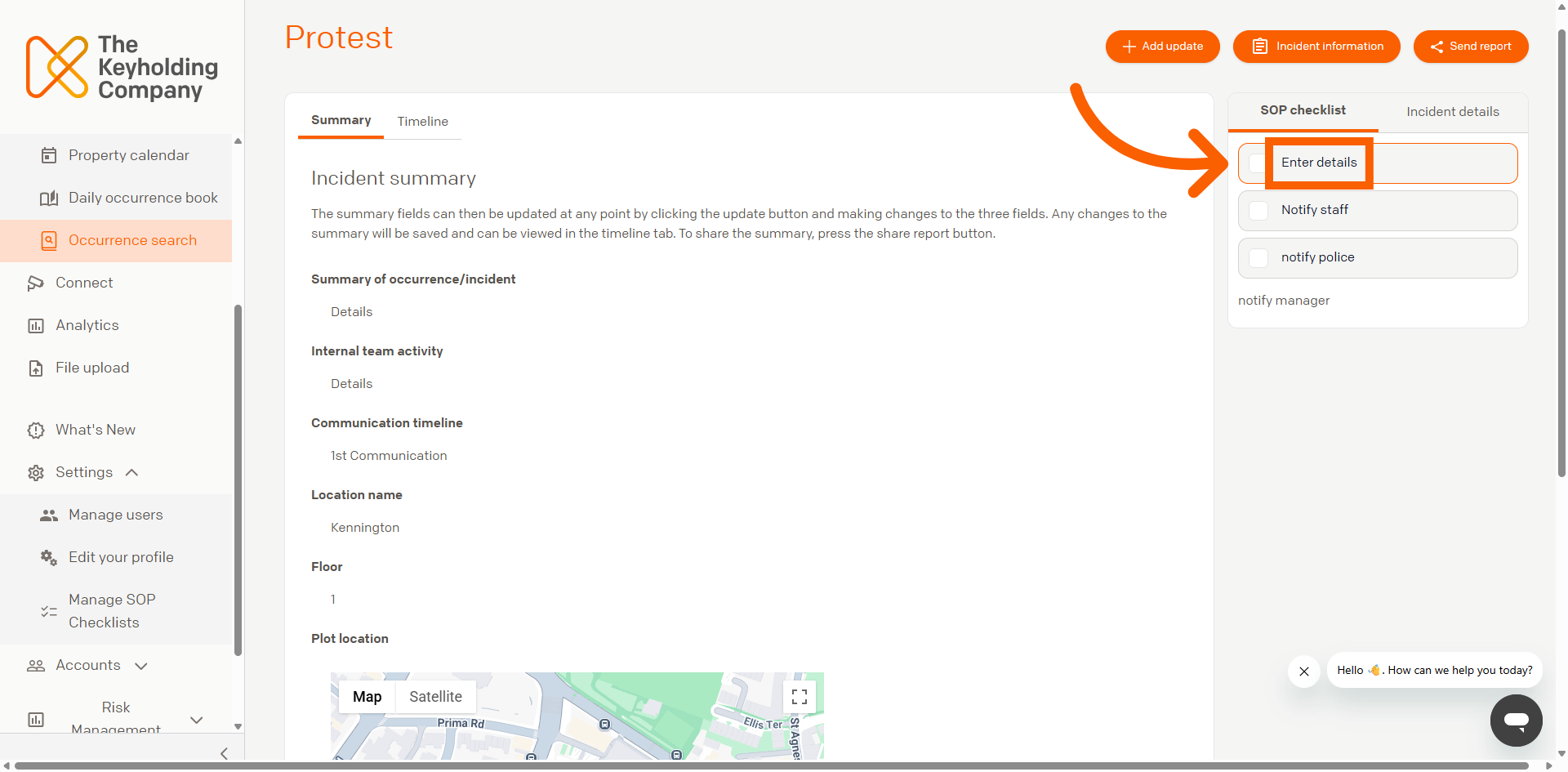
On the Incident Summary page, if a standard operating procedure has been configured, it will appear on the right-hand side of the screen under SOP Checklist.
02
Completing the SOP Checklist
Click the tick boxes to reflect that the step within the standard operating procedure has been completed. Tick all boxes to reflect that the entire procedure has been followed and completed. This will enable team members to monitor progress against the Incident response.